
Army Email 365: Your Complete Guide to Accessing and Managing Military Microsoft Accounts

Soldiers, civilians, and contractors across the U.S. Army rely on reliable communication tools every day. When people search for army email 365, they usually need clear answers about logging in, understanding the system, handling remote access, or resolving common issues with their official Microsoft-based accounts. This guide explains what army email 365 is, how it works, the steps required to use it securely, recent changes that affect access, and practical tips for staying productive while meeting strict security standards.
Army email 365, often called A365 or Army 365, represents the Army’s cloud-based Microsoft 365 environment. It replaced older systems and delivers email through Outlook alongside collaboration tools such as Teams, SharePoint, and OneDrive. Accounts typically end in @army.mil. The platform supports larger mailboxes, stronger encryption options, and tighter integration across Army networks. Understanding army email 365 helps users avoid frustration and maintain operational readiness.
Understanding Army Email 365 and Its Place in Army Communications
Army email 365 forms the core of official electronic messaging for most Army personnel. It runs on Microsoft’s U.S. Government DoD cloud environment, which meets rigorous security and compliance requirements. Users authenticate primarily with a Common Access Card rather than a simple password. This design protects sensitive information while allowing seamless work across email, calendars, contacts, and shared documents.
The system offers a 100-gigabyte mailbox in many cases, far larger than earlier Defense Enterprise Email limits. Integration with Microsoft Teams enables chat, video meetings, and file sharing within the same secure ecosystem. OneDrive provides cloud storage, and SharePoint supports team sites. Together these features create a unified workspace that supports both garrison and field operations.
Many users first encounter army email 365 during onboarding or after a unit migration. The platform continues to evolve as the Army prioritizes cloud capabilities and zero-trust security models. Staying current with official guidance ensures uninterrupted access.
The Evolution from Legacy Systems to Army Email 365
Years ago the Army and broader Department of Defense relied on Defense Enterprise Email with addresses ending in @mail.mil. That system eventually gave way to a full transition toward Microsoft 365 tenants tailored for each service. For the Army the move created the army.mil domain and the broader Army 365 suite.
The change brought modern tools and improved scalability. Mailbox sizes increased dramatically. Collaboration features that once required separate platforms became native. At the same time the Army tested other options, including a limited Google Workspace pilot. That pilot ended in early 2025, and remaining users were directed to transfer needed messages manually into their army email 365 accounts before the Google accounts closed.
Security considerations also shaped access rules. Direct commercial-internet access to many Army 365 services was restricted starting in mid-2024. Users now rely more heavily on approved remote solutions. These shifts reflect the ongoing need to balance usability with protection against sophisticated cyber threats.
How to Access Army Email 365 Through Official Channels
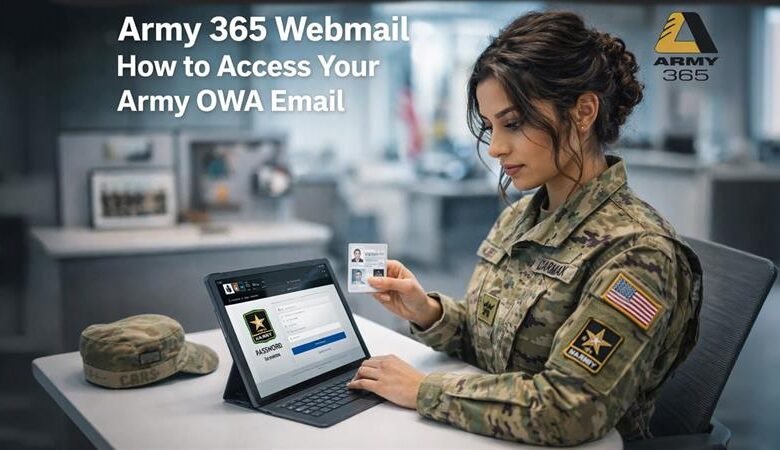
Accessing army email 365 always begins with a valid Common Access Card, a functioning card reader, and current DoD root certificates installed on the device. Browsers such as Microsoft Edge or Google Chrome work best when properly configured. Users insert the CAC, open a supported browser, and navigate to the official Outlook Web Access portal, commonly reached at webmail.apps.mil or related apps.mil addresses.
When the certificate prompt appears, the correct PIV authentication certificate is selected. The six-digit CAC PIN is then entered. Successful authentication opens the web version of Outlook, giving full access to mail, calendar, and contacts without installing desktop software. This method works from government computers and, with proper remote tools, from approved personal devices.
Desktop Outlook provides offline capability and richer features. After installing the latest DoD certificates, users open Outlook, choose to add an account, enter the full @army.mil address, and select the Exchange option when manual setup is required. The system prompts for the appropriate CAC certificate. Once configured, the client synchronizes mail and supports encryption features when needed.
Local information management officers or the Army Enterprise Service Desk can assist if auto-discovery fails or certificates need updating. The service desk remains available at 866-335-2769 and through official ticketing portals.
Remote and Mobile Options for Army Email 365
Working away from a government network requires approved secure pathways. Azure Virtual Desktop, often called Army AVD, creates a virtual Windows environment that users reach through a web client or dedicated remote desktop app. After signing in with the @army.mil address and CAC, the full suite of army email 365 applications becomes available inside the protected session.
Hypori offers another virtual-machine approach optimized for mobile devices. It isolates government data and supports encrypted access to email and other services. More recently the Army expanded Mobile Application Management through Intune. This option lets users install managed versions of Outlook, Teams, OneDrive, and Office apps on personal Apple, Samsung, or Google Pixel devices. Government data stays encrypted and separated from personal information.
These remote methods replaced unrestricted commercial-internet access for most users. They preserve productivity while enforcing zero-trust principles. Registration for AVD or mobile management usually requires a NIPR connection or coordination with unit information technology staff.
Security Requirements and Everyday Best Practices
Every interaction with army email 365 rests on the CAC and PIN. Users should never share PINs or leave cards unattended. Certificates must stay current; outdated ones produce trust errors that block login. Installing the latest DoD root and intermediate certificates from official public.cyber.mil sources resolves many common problems.
Sensitive messages containing personally identifiable information or protected health information require encryption. The platform supports S/MIME where appropriate, though compatibility with pure webmail recipients should be verified. Users also follow records-management rules that govern retention and disposition of official email.
Strong security habits extend beyond technology. Avoid public Wi-Fi without additional protections, close sessions completely when finished, and remove the CAC from the reader. Report any suspicious activity promptly through proper channels. These practices protect both individual accounts and the broader Army network.
Resolving Common Access and Performance Issues
Login failures often trace back to certificate problems, incorrect certificate selection, or an expired or locked CAC PIN. Clearing browser cache, trying a different supported browser, or verifying certificate installation usually helps. When a “500 error” or migration-related message appears, users may need to complete an assisted migration process through the official Army portals.
Slow performance can result from network conditions or incomplete profile synchronization. Restarting the browser or Outlook client, confirming VPN or AVD connectivity, and checking for service announcements resolve many cases. Persistent problems should be escalated to the unit S6 or the Army Enterprise Service Desk rather than attempting unofficial workarounds.
Mailbox size limits and retention policies occasionally surface when older messages accumulate. Users can archive or move records according to established schedules while keeping the active mailbox efficient.
Key Benefits That Make Army Email 365 Essential
The platform delivers practical advantages that support daily missions. Larger storage reduces the need for constant cleanup. Native integration with Teams means conversations and files stay connected to email threads. Cloud availability allows work from multiple approved locations without carrying physical files.
Collaboration improves because SharePoint sites and OneDrive folders live inside the same secure environment. Mobile options keep leaders and staff connected during travel or temporary duty. Overall the system reduces reliance on fragmented legacy tools and aligns the Army with modern enterprise standards used across government and industry.
These capabilities continue to expand as Microsoft updates its government cloud offerings and the Army refines its configuration.
Conclusion
Army email 365 serves as the primary official messaging and productivity platform for Army personnel. Mastering login procedures, remote access methods, security requirements, and available support resources keeps communication flowing smoothly. Whether accessing webmail, configuring desktop Outlook, or using virtual desktops and managed mobile apps, the same principles apply: use the CAC correctly, keep certificates current, follow approved pathways, and seek official help when needed.
Users who treat army email 365 as a secure, integrated workspace rather than a simple inbox gain the full benefit of the Army’s investment in modern tools. Regular attention to official announcements and unit guidance ensures continued access as policies and technologies evolve. With the right preparation, army email 365 remains a reliable foundation for mission success.
FAQs
What is the primary web address for army email 365?
The most common Outlook Web Access portal is https://webmail.apps.mil. Users insert a CAC, select the proper certificate, and enter the PIN to reach their inbox.
Do I need a CAC to use army email 365?
Yes. Authentication relies on the Common Access Card and PIN for nearly all access methods, including webmail, desktop Outlook, and remote virtual desktops.
Can I check army email 365 from a personal computer at home?
Direct commercial-internet access is restricted for most users. Approved options include Azure Virtual Desktop, Hypori, or managed mobile applications after proper enrollment.
What should I do if I cannot log in to army email 365?
Verify that DoD certificates are installed and current, try a different supported browser, confirm the correct certificate is selected, and contact the local S6 or the Army Enterprise Service Desk at 866-335-2769 if problems continue.
Is army email 365 the same as the old @mail.mil system?
No. The older Defense Enterprise Email system with @mail.mil addresses has been replaced by the Army 365 environment that uses @army.mil addresses and Microsoft 365 tools.
Read More:
Buy SoundCloud Plays: A Complete Guide for Artists Seeking Growth in 2026